





Realistic Photoshop Brushes for Illustration | 24-Pack
-
 Instant Downloads

-
 Secure payments

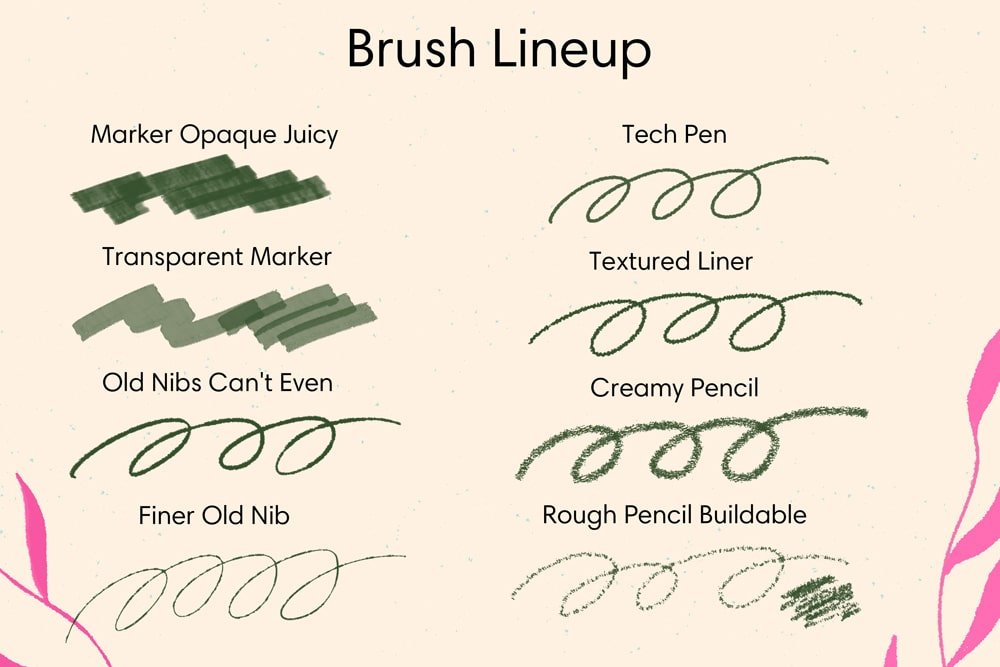
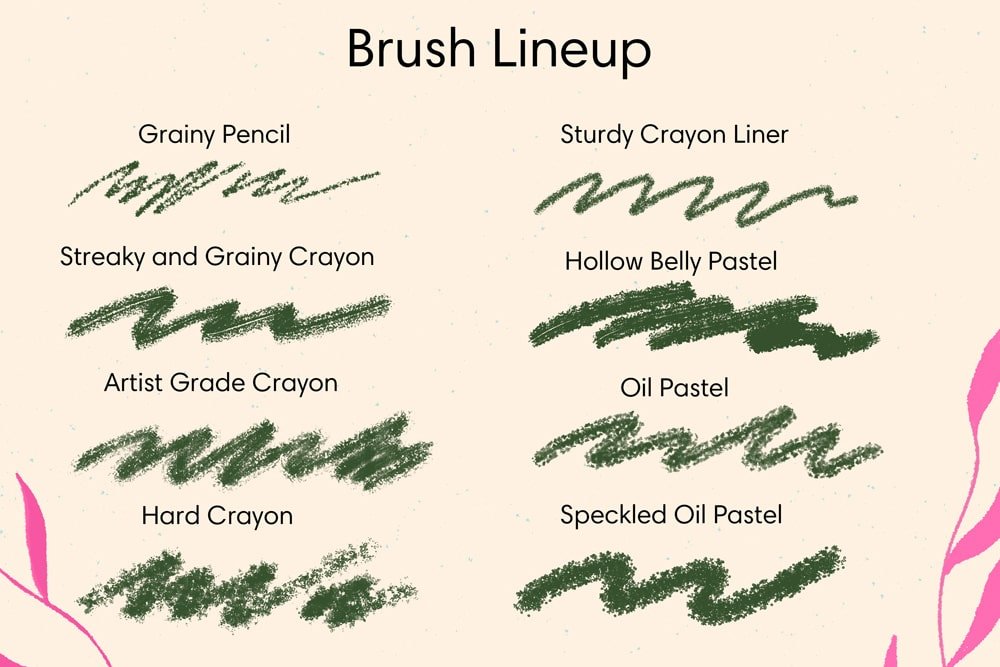
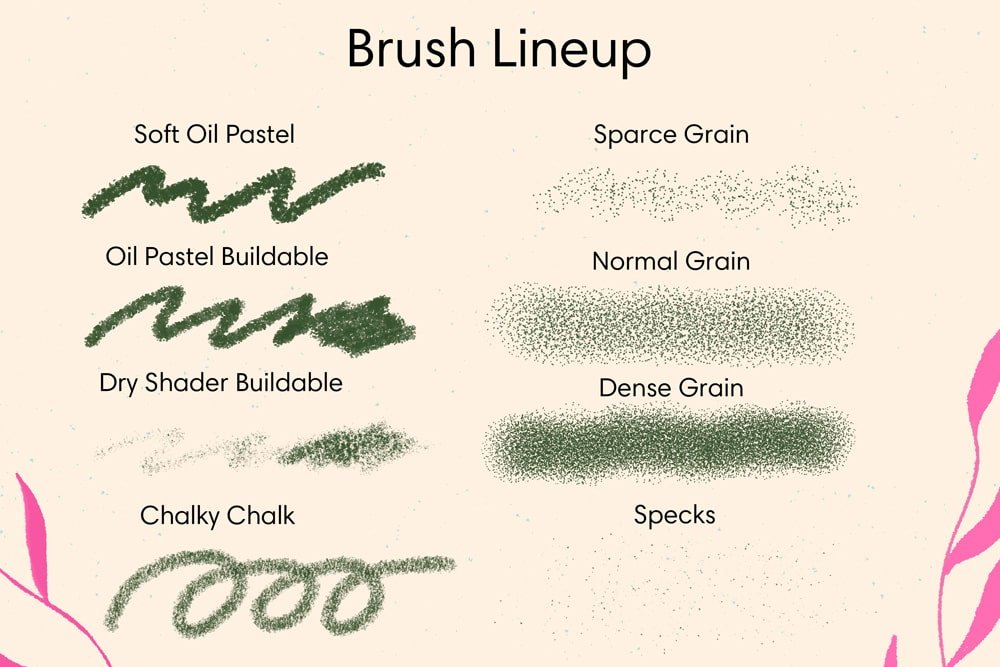
Photoshop's default brushes were made for photo retouching, not drawing. These 24 are the ones I use when a job has to be finished in Photoshop and still look like it was made with a pencil, a marker, or a stick of pastel. Every texture comes from real media in my studio and responds to pressure the way you'd expect. Instant download.
What's in the Set (24 Brushes)
Pencil and sketching, 8 brushes, including:
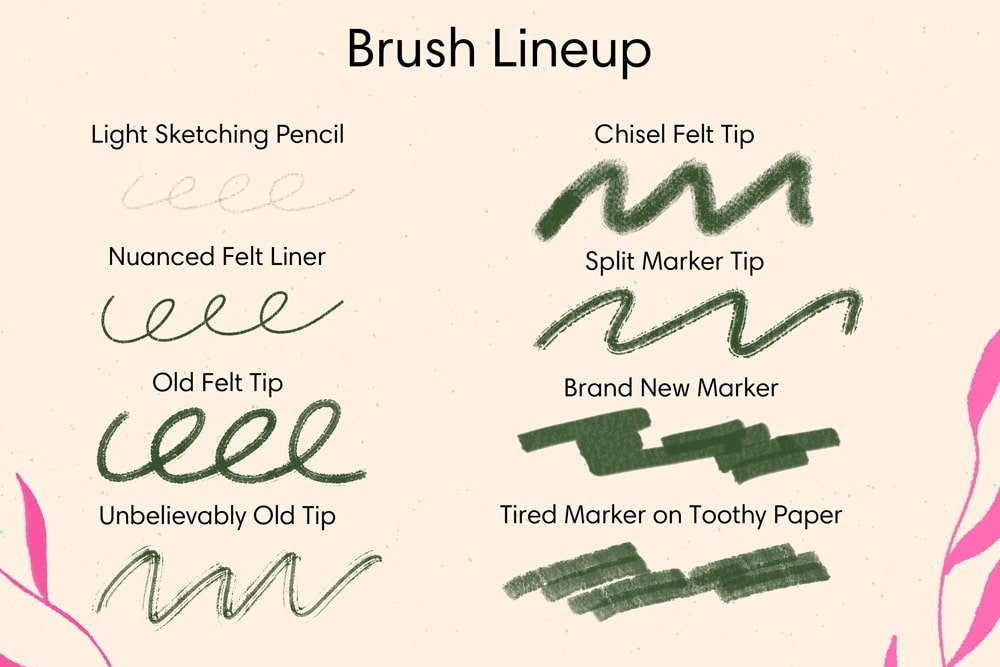
- Light Sketching Pencil. Delicate, responsive strokes for loose sketches. That first-draft feel.
- Creamy Pencil. Smooth, buttery strokes with consistent texture. For line work and shading.
- Grainy Pencil. Natural paper grain built in.
Marker and felt tip, 6 brushes, including:
- Brand New Marker. Crisp, clean lines with smooth ink flow. For bold outlines and graphic work.
- Nuanced Felt Liner. Sensitive pressure response with smooth line variation. For lettering and detail.
- Split Marker Tip. A double-line effect for decorative strokes.
Pastel and crayon, 6 brushes, including:
- Oil Pastel. Rich, creamy strokes with bold color.
- Soft Oil Pastel. Softer application for blending and layering.
- Speckled Oil Pastel. Textured, speckled pattern for added depth.
- Artist Grade Crayon. Premium crayon texture with consistent grain.
- Chalky Chalk. Dry, chalky texture for matte effects and soft color.
Specialty and character, 4 brushes, including:
- Old Nibs Can't Even. Worn, inconsistent strokes for vintage effects.
- Tired Marker on Toothy Paper. A well-loved marker on rough paper.
- Unbelievably Old Tip. Erratic, distressed strokes for aged effects.
What Are These Photoshop Brushes Good For?
Editorial illustration, comics and lettering, product and packaging art, and any client file that has to be delivered as a PSD. They're especially useful if you:
- Draw in Procreate but finish in Photoshop and want the textures to match
- Need natural media texture in a print production pipeline
- Want the pencil-to-pastel range in one file instead of six
Compatibility
- App: Adobe Photoshop CC and later, desktop. Not compatible with Procreate, Illustrator, or Affinity Photo
- Platform: macOS and Windows
- Stylus: pressure-sensitive tablet recommended
- File format: .abr, imports through the Brushes panel
- Delivery: instant download
How to Install
- Open Photoshop and go to Window > Brushes
- Open the panel menu and choose Import Brushes
- Select the .abr file; the set appears as a new folder in your Brushes panel
Licensing
Three options at checkout: Personal, Commercial, and Extended. Personal covers practice, personal projects, portfolio pieces, and social media. Commercial adds client work and selling what you make, up to 5,000 units per design. Extended removes the unit cap, for large production runs, fabric collections, or licensing your art to manufacturers. Started with Personal? You can upgrade anytime by paying the difference. Full terms are in the FAQ.
Questions People Ask
Will they work in Fresco, Krita, or Affinity Photo?
No. The .abr format depends on Photoshop's brush engine.
Can I use these brushes in work I sell?
Yes, with the Commercial or Extended license, chosen at checkout. Personal covers your own projects and portfolio.
What if the file won't import?
Email me with your order number and I'll get you a working file. Digital sales are final, but a broken file is on me.
Digital product. Instant download, nothing ships. All sales are final, but if a file won't open or a brush won't import, email me and I'll make it right.
About the Artist. Esther Nariyoshi is a published illustrator based in the U.S. Her work draws on the three cultures she has lived in, and the brushes in this store start as real media in her studio.
Handmade digital assets by Esther Nariyoshi


 Back to Adobe Illustrator & Photoshop Brushes | Vector & Raster Brushes


